

This is for deposits your client sends through Venmo, Zelle, Cash App or your own payment link. Cake can't see that money, so you're the one who checks it. When a client reports a payment-app deposit, nothing is booked until you confirm it landed.
The client picks a time and taps Hold this time (Continue if you also take card). Cake holds it and shows a page with your payment details or your payment link, and a reference code.
The client pays in their own app and taps I sent the deposit. Cake records it, and the client isn't booked yet.
You get an email titled Payment reported and a push that says Deposit needs your check. If the client hasn't reported after about 30 minutes, you get a note saying so, and Cake reminds the client, unless you turned the deposit ask off.
Check your own payment app first. Look for the reference code shown on the request.
Then press It landed, lock Rosa in. It's under Deposit check on the request, with your client's name in place of Rosa. The request becomes Booked and the client gets their confirmation.
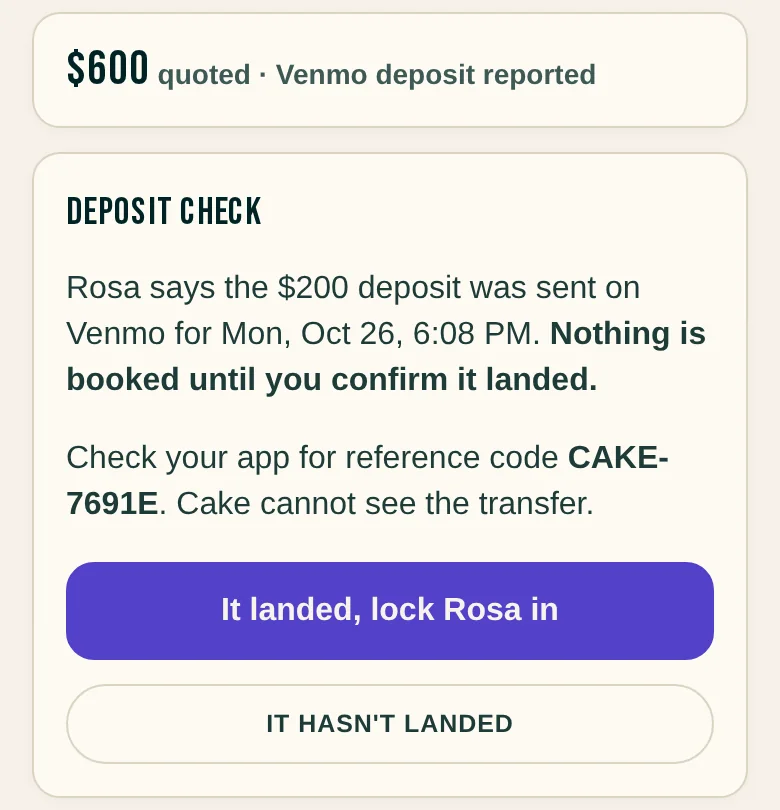
Note: The reference code is how you match a transfer to a request. Check your own app before you press it. Pressing it locks the time and books the client.
A request shows one of these next to its title:
- Offer out
You sent times. No money yet.
- Says deposit sent
The client reported a payment-app deposit. It's waiting on you. Open Deposit check.
- Paid · picking a time
The money is in, and the client is choosing a time.
- Payment received
The money is in, and nothing is booked yet. Press Send fresh times if the client needs them. Their deposit stays applied.
- Picked a time
The client chose a time on a request with no deposit, and you set I confirm every booking. Press Confirm this booking.
- Booked
The time is locked. If there was a deposit, it's confirmed.
- How long you have to confirm: In Settings , then Payments , under How long you have to confirm, pick 12 hours, 24 hours, 2 days or 3 days. The default is 2 days. Cake holds the time this long after a client reports paying. After that the time goes back on offer and the client is emailed Still want the spot? The email tells them not to pay again if they already did.
- How long clients have to pay: Under How long clients have to pay: 24 hours, 2 days, 3 days or 7 days. The default is 2 days. It starts when a client picks a time. Reporting a payment starts your separate confirm window above.
- Changing a setting: A hold that's already running keeps the window it started with, so a change never moves a hold a client is waiting out.
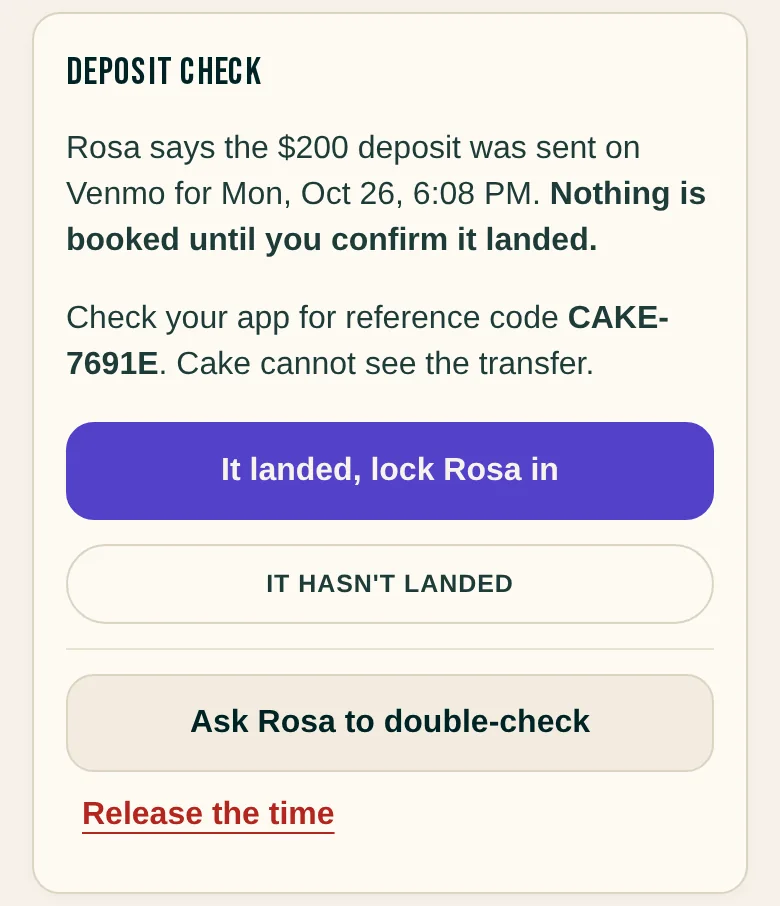
The money isn't there. What do I press?
Press It hasn't landed to ask the client to double-check or to release the time. Ask Rosa to double-check emails the client and leaves the held time and its deadline alone. Release the time asks you to confirm, then puts the time back in your books, keeps the claim in your records, and tells the client to double-check before they send anything again. Neither one charges the client or marks them a no-show.
The hold ran out, but the client says they paid.
Press It landed, record it on the request or on Home. That records the money. The time stays gone, so send the client fresh times.
I got paid and the client never reported it.
If a client paid you and never reported it, press Record payment received on the request. Pick where it landed, check the amount, and tick that you saw the transfer. Record a payment yourself has every step.
Only part of the deposit came in.
Record what landed. The request says Part of the deposit is in. Nothing books until the deposit is covered. The client is told what's in, asked for the rest, and told not to send the whole deposit again. When the rest lands, press Record the rest. If the client reported the rest and the hold ran out, press It landed, record it instead.
Will a client be asked to pay twice?
No. After a deposit is recorded, the client's page says it's already with you, and Cake doesn't send them to pay again. A client whose hold ran out is asked to pick a time again, and told to message you if they already paid.
Can I ask a client to pay again?
Cake has no button for that. Ask them to double-check, send fresh times, or message them from the request.
Can I keep a deposit or give one back?
When you close a request, choose Keep deposit or a refund under What happens to the deposit? Your refund rule tells the client what to expect, and the choice is still yours. A card refund goes back to their card in full. For a payment-app deposit, send the refund through the original app first, then choose Record refund sent there. Cake records what you sent and moves no money.
To record a payment your client never reported, read Record a payment yourself.
You don't confirm a card deposit. Your client pays the deposit. Stripe takes its card processing fee from your payout. Stripe tells Cake when the money is in, and the time locks.
To turn card on, read Set up card payments with Stripe.
To see when the money reaches your bank, read When card deposits reach your bank.
Write to support@cake.ink or tell us in Discord. A screenshot of the request helps us see what you see.