

At tax time you want two things: what clients paid, and what Stripe took out. Cake has the first. Stripe has the second.
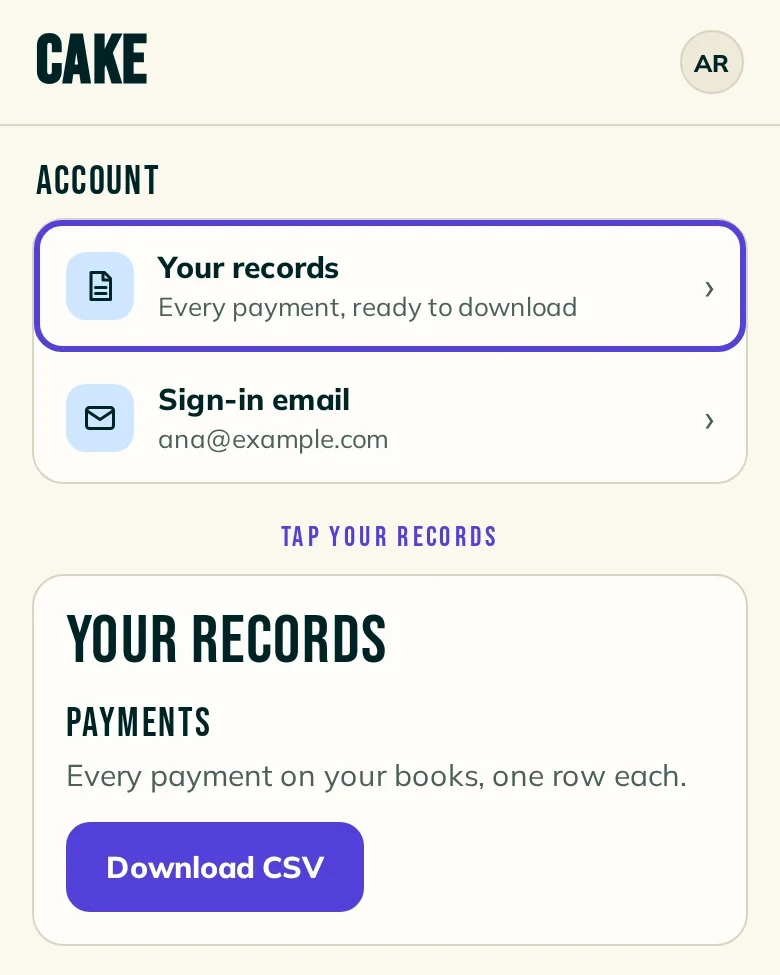
In Cake, open Settings , then Your records .
Under Payments, press Download CSV.
Open the file in a spreadsheet. Each payment is one row, with the date, client, how they paid and the amount.
For card deposits, open Settings , then Payments . When Card reads Ready for card payments, press the Stripe dashboard link under it. Open Stripe's balance summary report and export the itemized CSV. Each transaction in it shows its fee.
Note: The CSV holds every payment since you started, not one year. Sort it by the date column to pick a year.
Card deposits are paid to your own Stripe account. Cake makes the account in your name, and Stripe pays it out to your bank. Your client pays the deposit. Stripe takes its card processing fee from your payout.
Every card deposit is recorded twice, in Stripe and in Cake, with nothing for you to enter.
When you refund a card deposit in Cake, it goes back in full, and you cover Stripe's fee.
- The 1099-K: Stripe, not Cake, sends a 1099-K when you meet the thresholds. The federal one is more than $20,000 and more than 200 transactions. Some states are lower. The form comes early in the new year.
- Each fee: Stripe's own reports show each processing fee. The balance summary report exports an itemized CSV, and every transaction in it shows its fee. Stripe's payout reconciliation report matches each payout to the transactions in it.
- Cake's side: Each card deposit is a row in your Payments CSV, marked card_stripe. The amount is what the client paid, and a refund is its own row with a minus amount. The fee isn't in Cake's file, so use Stripe's report for it.
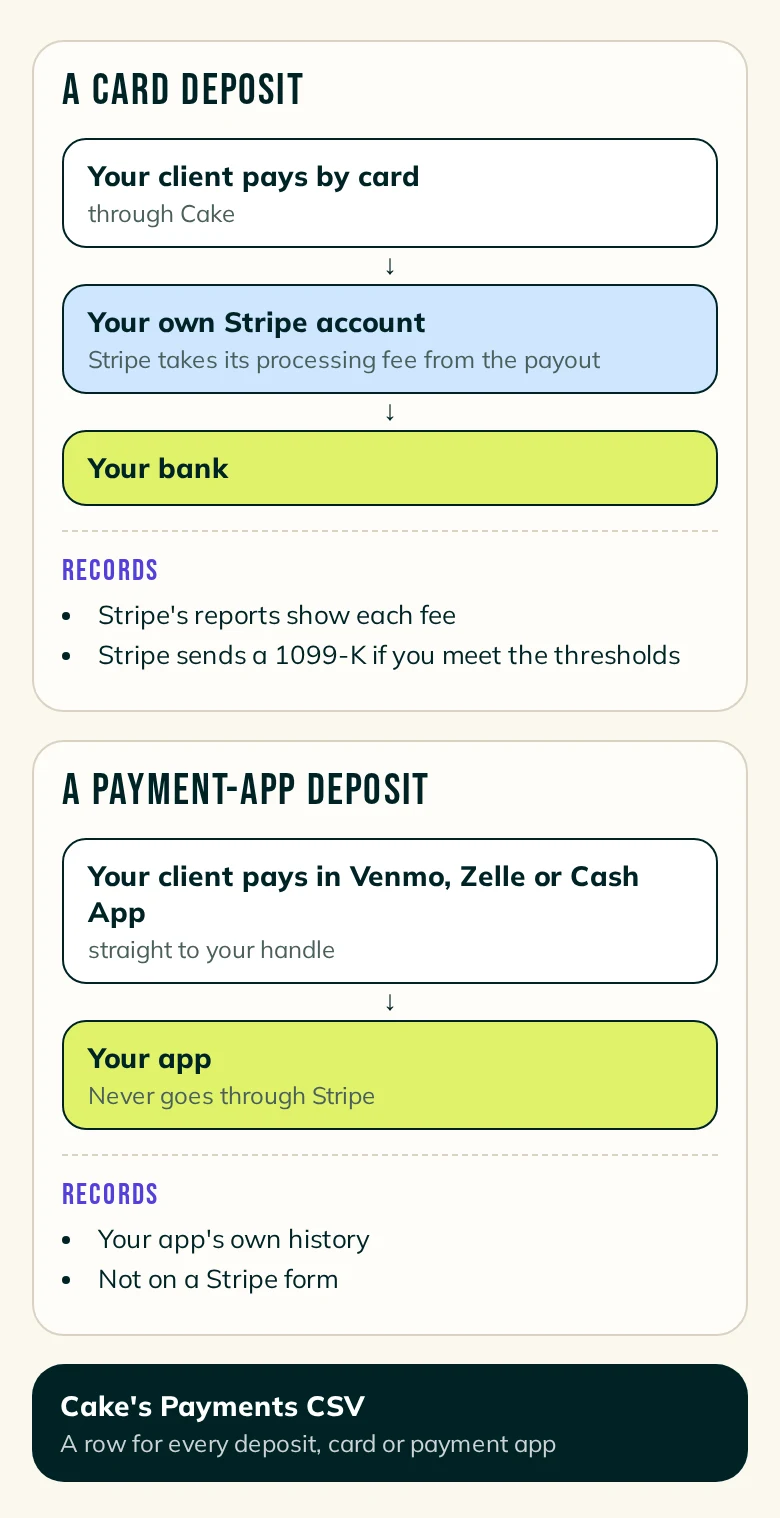
Venmo, Zelle and Cash App deposits never go through Stripe. They aren't on a Stripe form or in Stripe's reports. The record is your own app's history, plus the row in your Payments CSV.
A payment link's record is wherever the link takes the money: Square's history for a Square link, Stripe's reports for a link from your own Stripe account.
A deposit your client marked as sent in Cake carries the reference code Cake gave them for the payment note. Search your app for that code to find the payment.
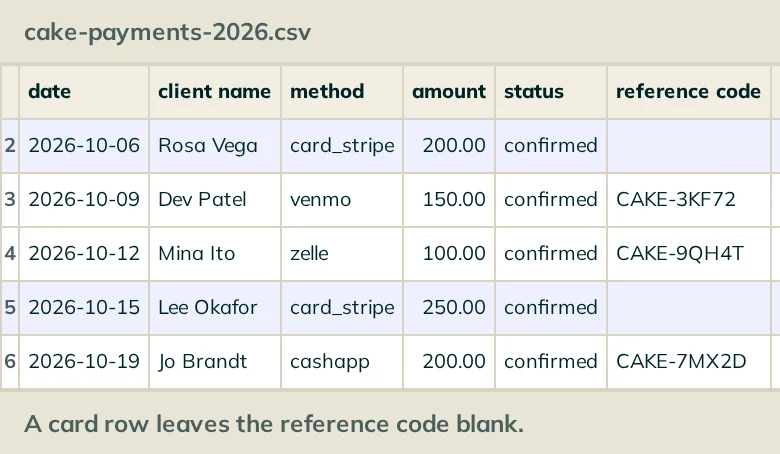
Cake's Payments CSV lists every deposit, card or payment app. It has one row per payment:
- date: When the payment was recorded.
- client name, request id: Who paid, and which request it belongs to.
- method: card_stripe for a card deposit through Cake. The other rows name the payment app or method, such as venmo or zelle.
- amount, status: What was paid, and where the payment stands. A refund or a correction is its own row with a minus amount.
- reference code: The code on a deposit your client marked as sent in Cake. It's blank on card rows and on payments you recorded yourself.
- imported, kind, extra charge id, extra charge label: Whether the row was imported, what kind of payment it is, such as a deposit, a balance or a tip, and any extra charge it paid for.
Does Cake send me a tax form?
No. Cake doesn't send tax forms or file anything with the IRS. Stripe sends a 1099-K for card deposits when you meet the thresholds.
What if I'm under the threshold?
Then Stripe may not send you a form. Whether and how you report your income is a question for a tax professional.
Is the CSV a tax summary?
No. It's a list of payments, with no yearly totals. Cake doesn't give tax advice, and this guide doesn't either.
Can I match a card row to Stripe?
By date and amount. The CSV doesn't carry a Stripe ID.
Write to support@cake.ink or tell us in Discord. Say which export you're looking at and what looks off.