

Ask your client not to pay again until you've checked. Cake's pay pages tell them the same.
Check your own payment app for the transfer and its reference code.
If it's there and your client reported it, press It landed, lock Rosa in. If they never reported it, press Record payment received.
If it isn't there and they reported it, press It hasn't landed to ask them to double-check or to release the time.
If your client can't pay at all, send fresh times or message them from the request.
Note: A card deposit needs none of this. Stripe tells Cake when the money is in, and the time locks.
A card checkout is Stripe's page. Your client pays there with Apple Pay or a card, and Cake can't see or change that page. Stripe takes its card processing fee from your payout.
- They left the checkout: If your client leaves it, they can go back with Resume card checkout, and they aren't charged twice. Their page says Checkout is still active until the checkout ends.
- Card checkout isn't working: With card only, their page says so and asks them to try again in a minute. With Both, their page offers your payment apps instead.
- They paid, and the page is still confirming: It says Payment's in. Then the time locks, in a few seconds. If the bank is slow, it tells them they won't be charged twice and to let you know if it hasn't settled within a minute.
- They paid, but the time filled: Their page says the deposit is still with you. If another of your times is still open, they can take it with Lock this time. If not, they press Ask for new times. You're told too. Send fresh times, and the deposit carries over.
Your client pays in Venmo, Zelle, Cash App or on your payment link, then comes back and taps I sent the deposit. That money never passes through Cake, so if an app or a payment page freezes, Cake can't see it. Every pay page tells your client not to pay twice and that you confirm the money before they're booked.
- Your payment link froze: That page belongs to your provider, such as Square or PayPal. Ask your client to try again, or to use another app you take. If you saved more than one, they can switch on the pay page.
- No receipt from the payment link: The page tells them not to pay again, to check their bank, and to message you.
- Venmo didn't open: The page offers a plain Venmo link.
- They paid and never tapped "I sent the deposit": For a payment app, check your own app. If the money is there, record it in Cake. Press Record payment received on the request.
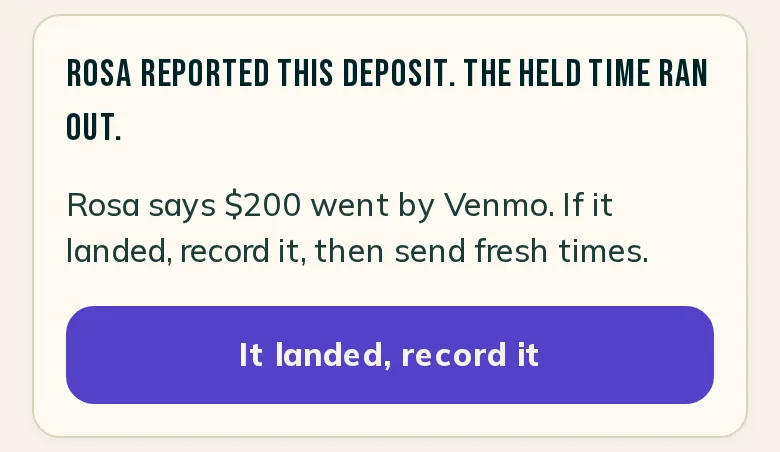
- They paid, but the hold ran out first: The request says Rosa reported the deposit and the held time ran out. Check your app. If the money is there, press It landed, record it on the request or on Home. Then send fresh times. If it isn't, send fresh times or message Rosa.
- They tapped "I sent the deposit" by mistake: They can press I didn't send it on their page. That releases the time so they can choose again. It moves no money.
For every button on a payment-app deposit, read Where a deposit stands.
Write to support@cake.ink or tell us in Discord. A screenshot of what your client sees helps us see it too.