

In Settings , then Payments , then Deposit , pick Card payments, Payment apps, Both or No deposit.
- Card payments: Clients pay by card through your Stripe. Paying locks the time. Stripe takes its card processing fee from your payout. You need to set up card payments first.
- Payment apps: Clients pay you directly. You confirm a payment-app deposit before the time locks. Until you add an app or a link below, Cake can't ask clients to pay this way.
- Both: Clients pick card or a payment app. Card locks the time, and you confirm the rest. You need to set up card payments first.
- No deposit: Cake asks for no money. Your client picks a time from your offer, and it books, or waits for your yes if you set I confirm every booking.
Every request starts with that pick, and you can change it on any one when you approve it. On the Approve screen, it's under How is the deposit handled?, with the Deposit $ box. After you send, that request keeps it.
To turn on card, read Set up card payments with Stripe.
Open Settings , then Payments .
Fill in the ones you take: Venmo handle, Zelle email or phone, Cash App cashtag or Payment link. A payment link is any web page where you take money, such as Square or PayPal. Clients get it as a button.
Press Check it beside Venmo, Cash App or your payment link to open the page your clients will see. Zelle has no page to check, so read it twice.
If clients need directions, add Payment instructions. They show on the pay page with the reference code.
When you add or change a payment app or link, Cake asks you to confirm the account can take business payments, and that refunds, taxes and your provider's rules are yours. Press I understand, turn it on.
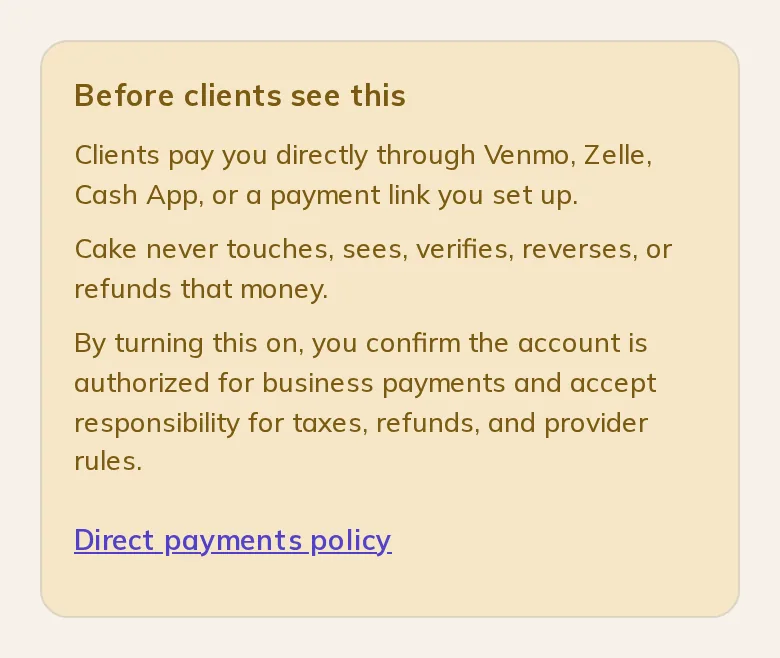
Note: For Payment apps, add your Venmo, Zelle, Cash App or payment link. Cake never touches that money. It doesn't see, check, reverse or refund it either, so you're the one who confirms it arrived.
Rosa picks a time and taps Hold this time (Continue if you also take card). Their page says the time is held and until when. They press Pay the deposit and see the amount, a button to your app or link, and a reference code to put in the note. After paying, they come back and tap I sent the deposit.
You confirm a payment-app deposit before the time locks. Until then, Rosa isn't booked.
To confirm it, read Where a deposit stands.
Both settings are in Settings , then Payments when your deposit is Payment apps or Both. How long you have to confirm also shows with No deposit when you set I confirm every booking, and there it starts when the client picks a time.
- How long clients have to pay: 24 hours, 2 days, 3 days or 7 days. The default is 2 days. It starts when a client picks a time. When it ends, the time goes back on offer and the client is asked to pick again.
- How long you have to confirm: 12 hours, 24 hours, 2 days or 3 days. The default is 2 days. It starts when a client reports paying. When it ends, the time goes back on offer and the client is emailed Still want the spot?
- Changing a setting: A hold that's already running keeps the window it started with.
Cake asks for no money and shows no reference code. On the Approve screen, Cake asks what Rosa should know about the deposit: No deposit on this one, The shop collects the deposit, Cash at the consult, Say nothing or Write your own. Unless you choose a line or write your own, your approval message says nothing about the deposit. Rosa's page says there's no deposit.
Rosa picks a time and it books. If you set I confirm every booking, they tap Ask for this time, and you press Confirm this booking on the request.
Write to support@cake.ink or tell us in Discord. A screenshot of Payments in Settings helps us see what you see.