All product updates
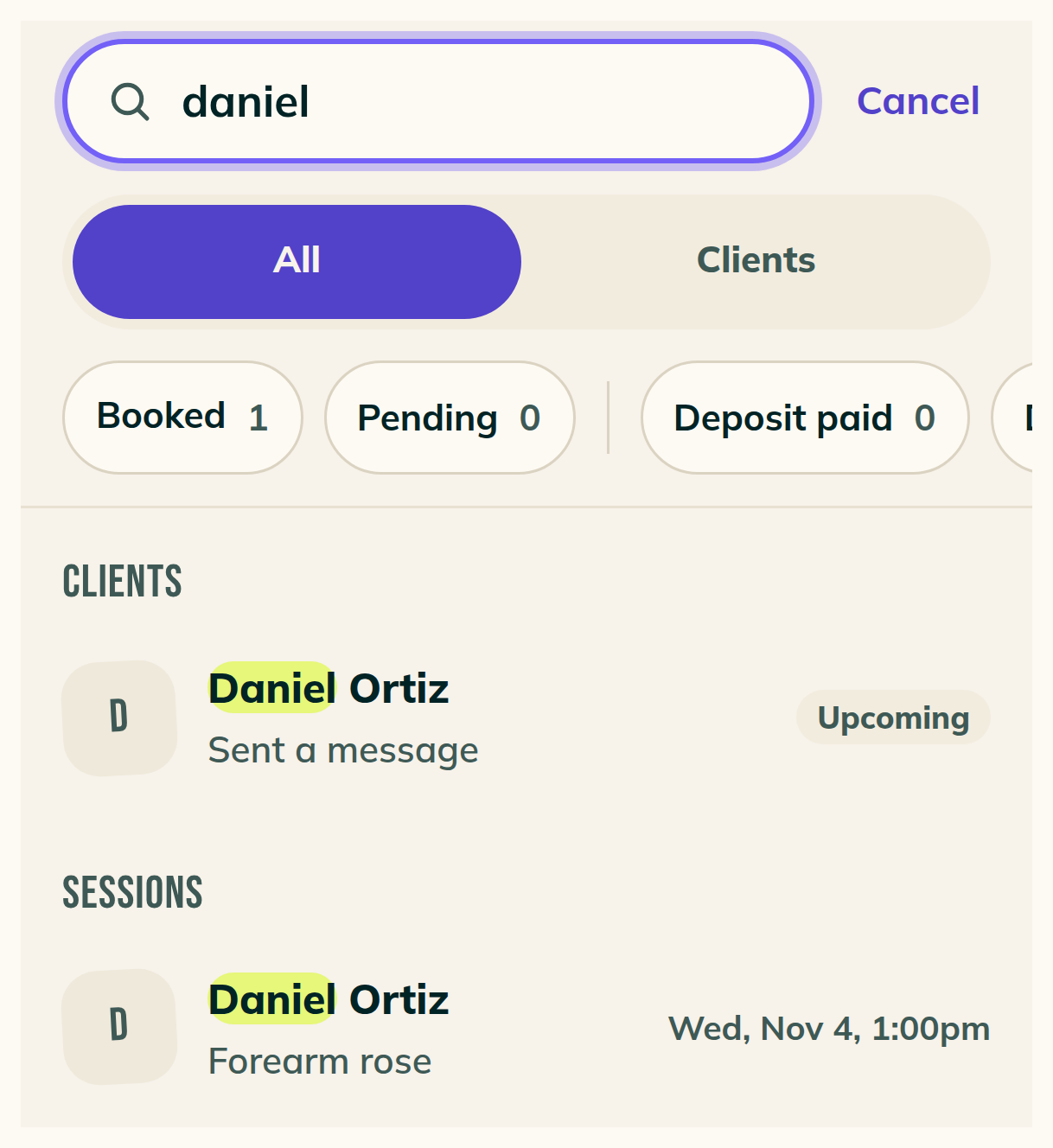
Search for your clients
Search finds a client by name, @handle, phone or email. Each client's page holds a note clients never see. Your client reads your refund rule before they hold a time, and Reschedule can change a session's length.
Search for your clients
- Tap the round search button left of your profile photo and type a name, an @handle, a phone number in any punctuation, or an email.
- Results sort under Clients, Requests and Sessions, and Pending and Deposit unpaid narrow them.
- Clients lists everyone from A to Z. At desktop width, Ctrl K opens search.
- The search bar in Chat narrows your conversations as you type, by name, @handle, phone or email.
- A client's name opens their page on Requests, Home, a request, a session and the top of a chat. On the calendar, tapping a session opens the session.
Keep a note on any client
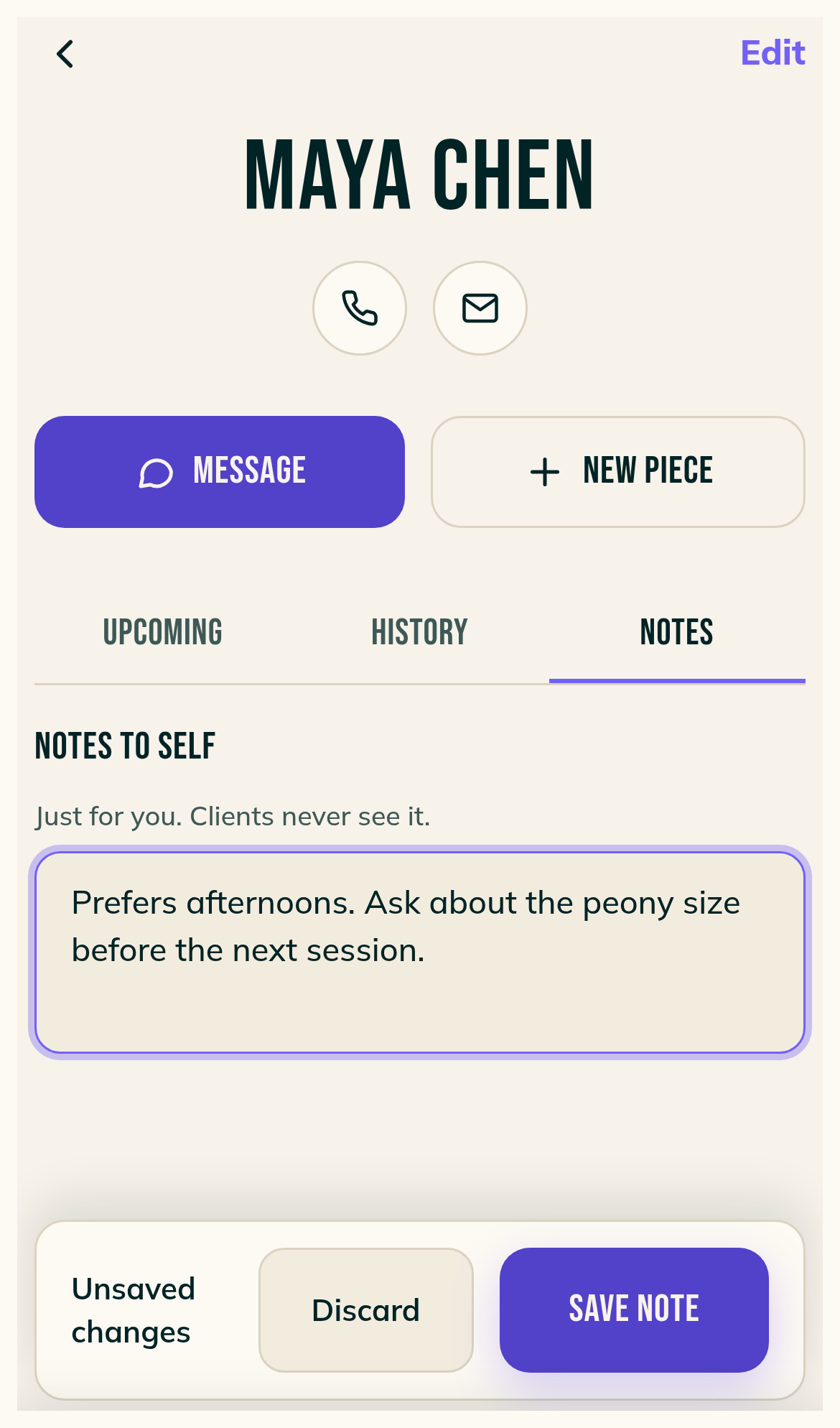
- Open a client from People. Notes to self holds a note for that client, booked or not, and the note is still there after you book them again.
- Under it, Session notes lists what you wrote in a session's own box, with the piece and the day.
- The box carries the line Just for you. Clients never see it.
- If another device saved a newer version, Save keeps yours and Discard shows the other.
A client's page starts with their name
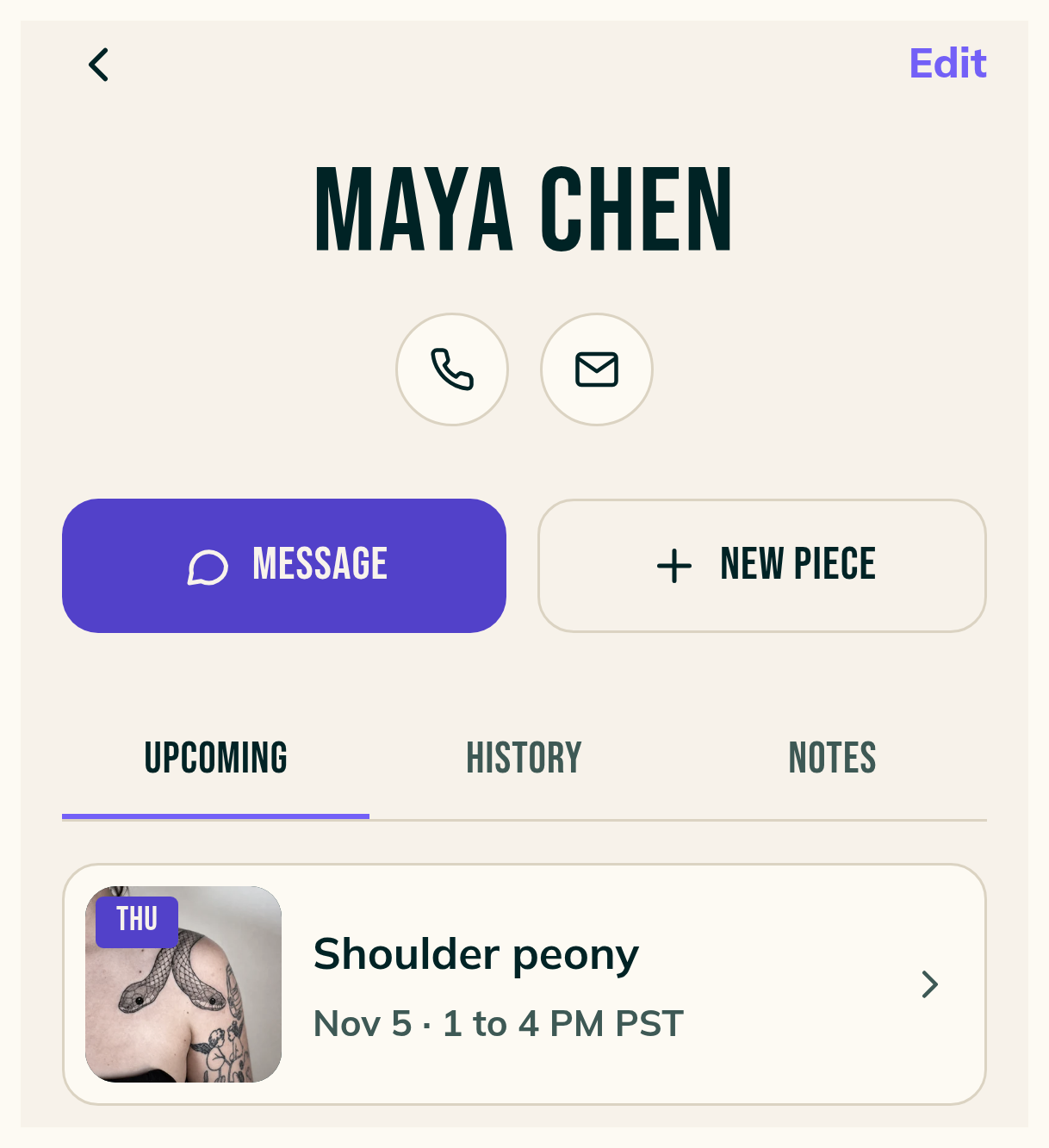
- Their name leads the page. The phone button opens Call, Text and Copy.
- Message and New piece sit under the name. New piece, then Book a time, opens Quick add with their name, email and phone filled in.
- Upcoming lists new requests first, then booked sessions, and tapping either opens it.
- History and Notes sit beside Upcoming.
Your client sees your refund rule before they hold a time
- In Settings, Payments, under If a client cancels, pick Non-refundable, Refundable until a cutoff, or Refundable until the session.
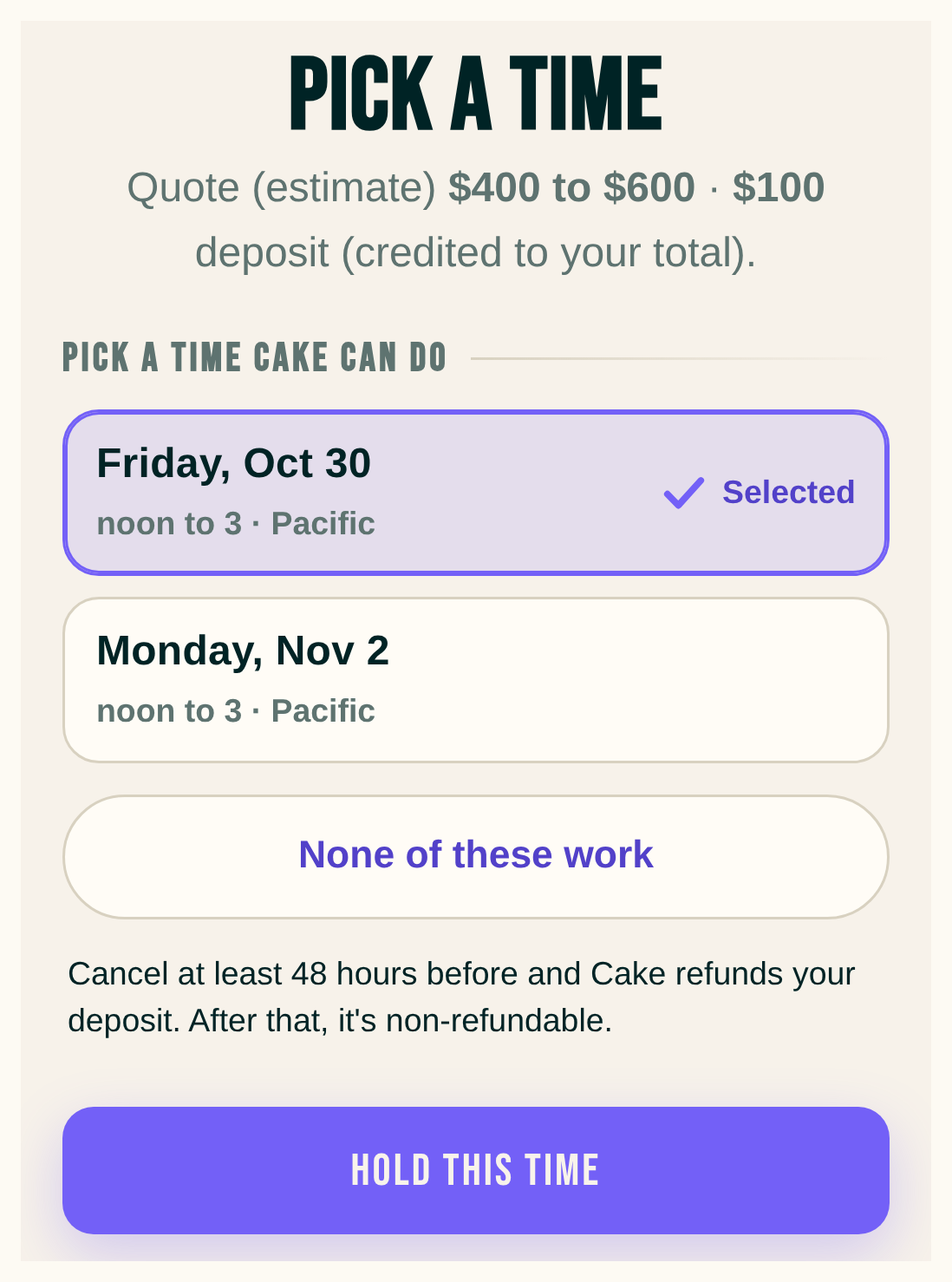
- For a payment-app deposit, your client reads the rule directly above Hold this time and again above I sent the deposit. With a 48 hour cutoff it reads: Cancel at least 48 hours before and Cake refunds your deposit. After that, it's non-refundable.
- The booked page shows when the deposit stops being refundable, like Refundable until Monday, Oct 26 at 12 PM Pacific.
- Cancellations on your page opens with the same sentence. If your own words there talk about refunds, Cake asks you to pick Use Cake's line or Keep my words.
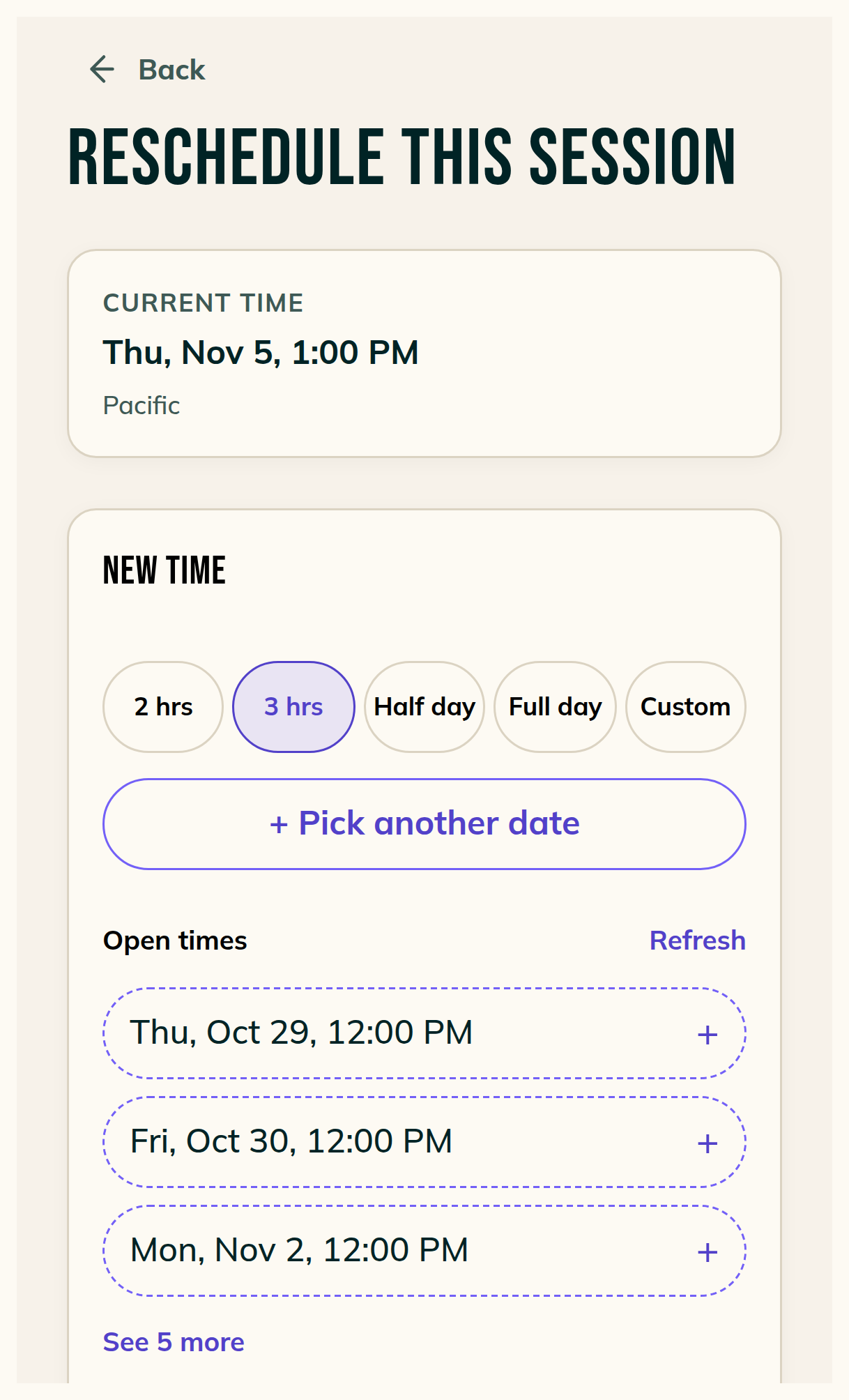
Reschedule can change a session's length
- Reschedule opens the Time offers card at the session's own length.
- Pick 2 hrs, 3 hrs, Half day, Full day or Custom. The open times follow the length you pick.
- + Pick another date opens boxes for any date and time you choose.
- A new start time emails your client Your appointment moved. It names the old and new times. A new length on the same start sends nothing, and Review says which before you confirm.
Add a chat photo to the request
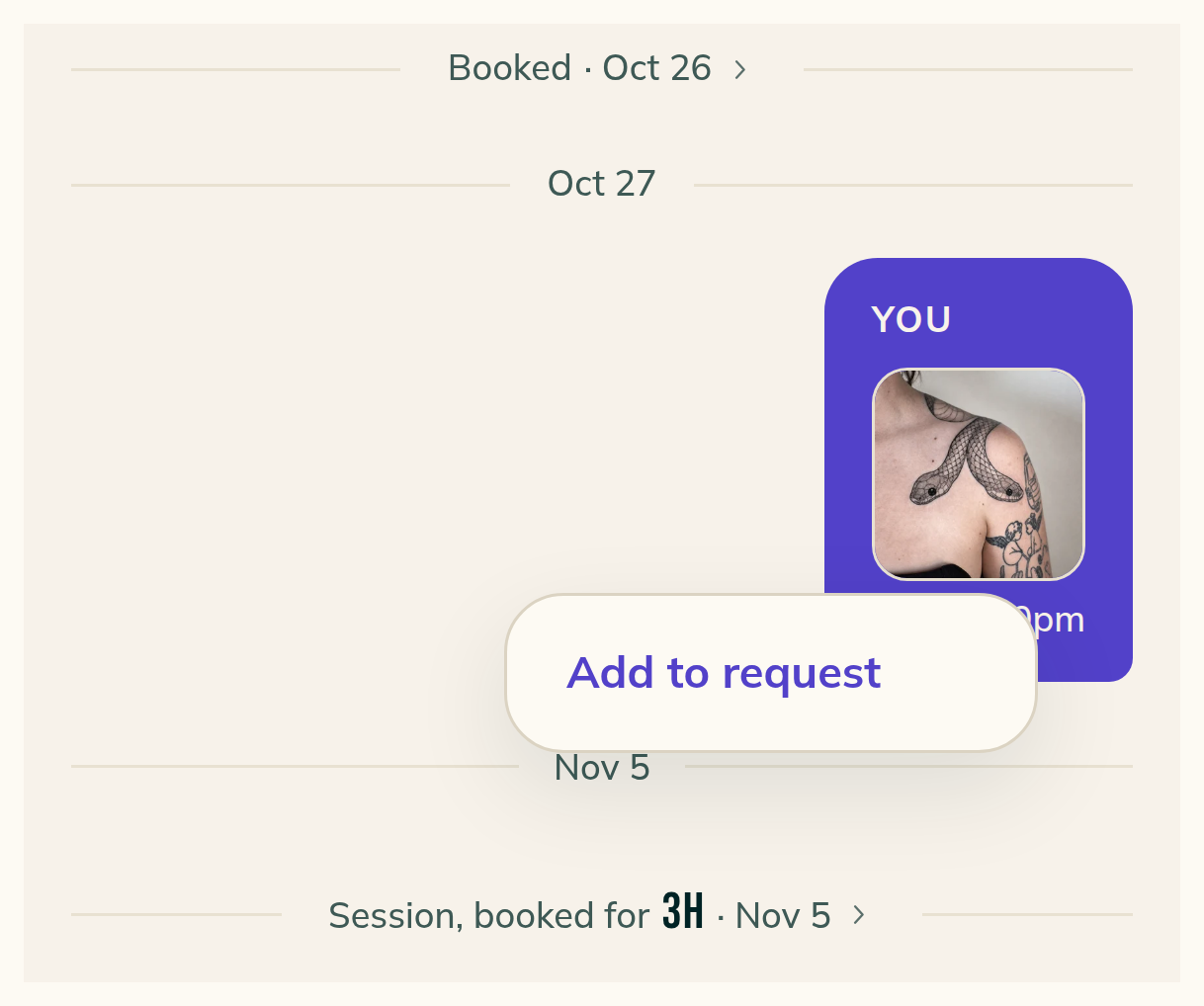
- Hold a photo in a client's chat, or right-click it on a computer, and pick Add to request.
- Added flashes on the photo, and the photo joins the request's references, whether you sent it or your client did.
- Use this one makes it the request's lead photo. It shows in Chat, Requests, Week, Search and the client's page.
Smaller fixes 5 lines
- In a client's chat, Edit this message changes the words of one upcoming reminder or aftercare message. Your saved reminder in Settings stays as it is.
- Instagram and TikTok icons sit right after your handle on your page. Each opens in a new tab.
- When a session button loses to a change on another device, Wrap up says what happened, like This session was already wrapped up. Done on a session with an unsigned consent form says your client has to sign first.
- Sign-in and Settings now say why a step failed: Cake's end, your connection, a wrong or expired code, or too many code tries.
- Quick add says whether a failed send was Cake's end or your connection, instead of pointing at the deposit line.