All product updates
Clients can pay your deposit by card
Clients can pay your deposit by card, and a client who ticks the box can get your appointment reminders by text too. You can also block off time, pick the times before Send new times sends anything, and send up to 20 photos in one message.
Clients can pay your deposit by card
- Open Settings, then Payments. Under Card, press Connect Stripe.
- Stripe asks for what it needs, such as your ID and a bank account for payouts. If you stop partway, press Continue setup.
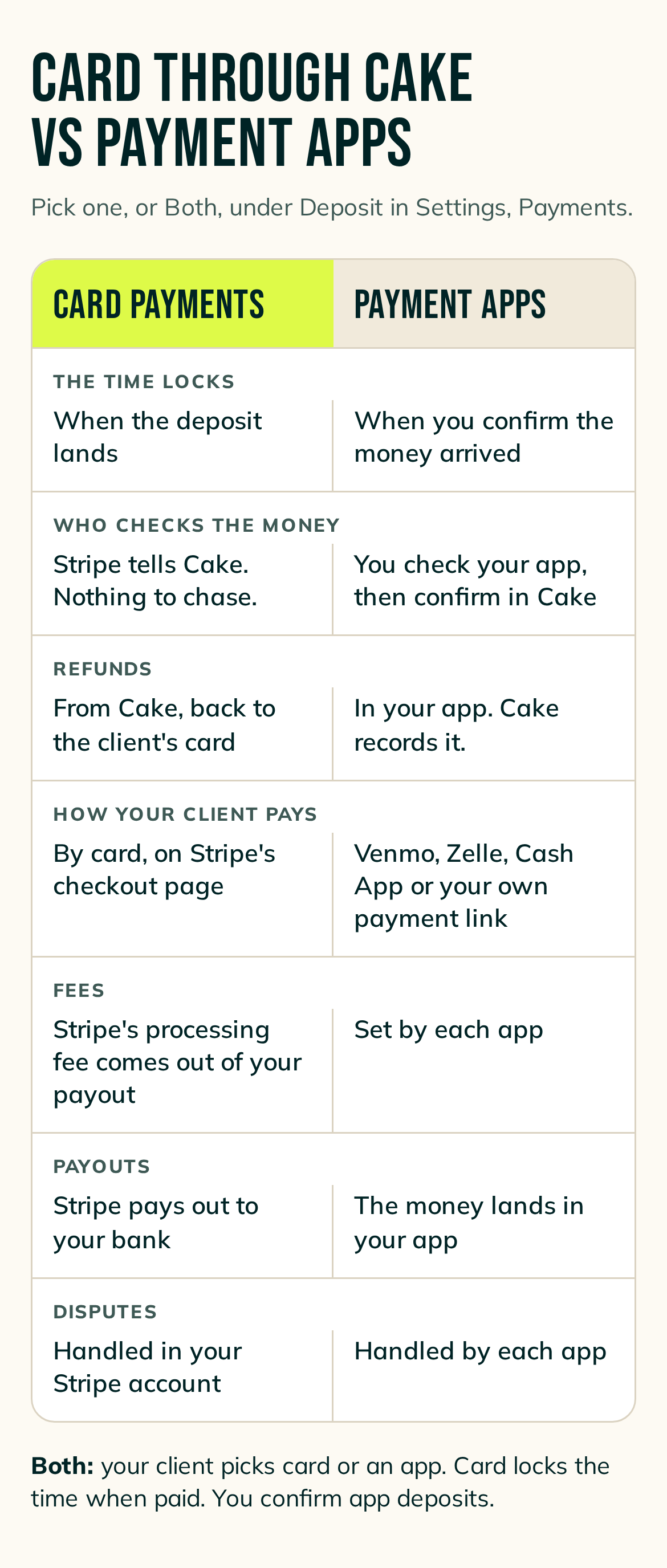
- Then go to Deposit and pick Card payments or Both. They open when Card reads Ready for card payments with nothing listed under it, and Stripe has turned on your payouts. Until then they're greyed out and say Opens when your Stripe setup is done.
- With Card payments, the time locks when the deposit lands. You don't confirm anything.
- With Both, your client chooses card or a payment app. Card locks the time when paid, and you confirm payment-app deposits the way you do now.
- Your client pays the deposit. Stripe takes its card processing fee from your payout.
- Cake leaves your deposit setting as it is until you pick Card payments or Both.
- The help article has every step and what each status means: https://cake.ink/help/stripe-card-payments/
Clients can get reminders by text
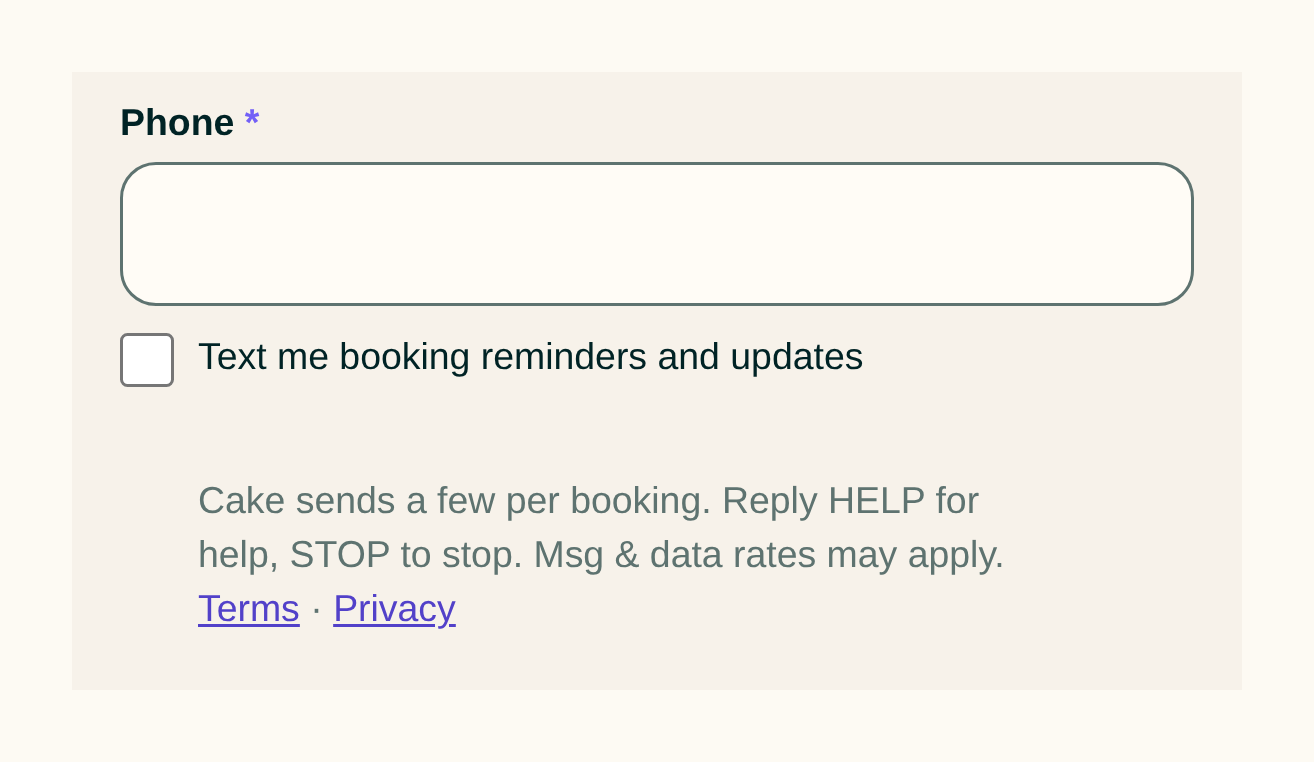
- Your request form has a box under the phone number: Text me booking reminders and updates.
- When a client ticks it, Cake texts them with your appointment reminders. A client gets up to four texts a week from Cake, counting the text that confirms they signed up. A reminder text names you, gives the day and the time, and links to their booking.
- Texts go out with your reminders, so turn on at least one in Settings, then Automated messages, then Appointment reminders.
- Every client still gets your reminders by email, in the words you write there.
- The text's words are Cake's, and you can't edit them.
- A client who replies STOP gets no more texts.
Block off time without a calendar
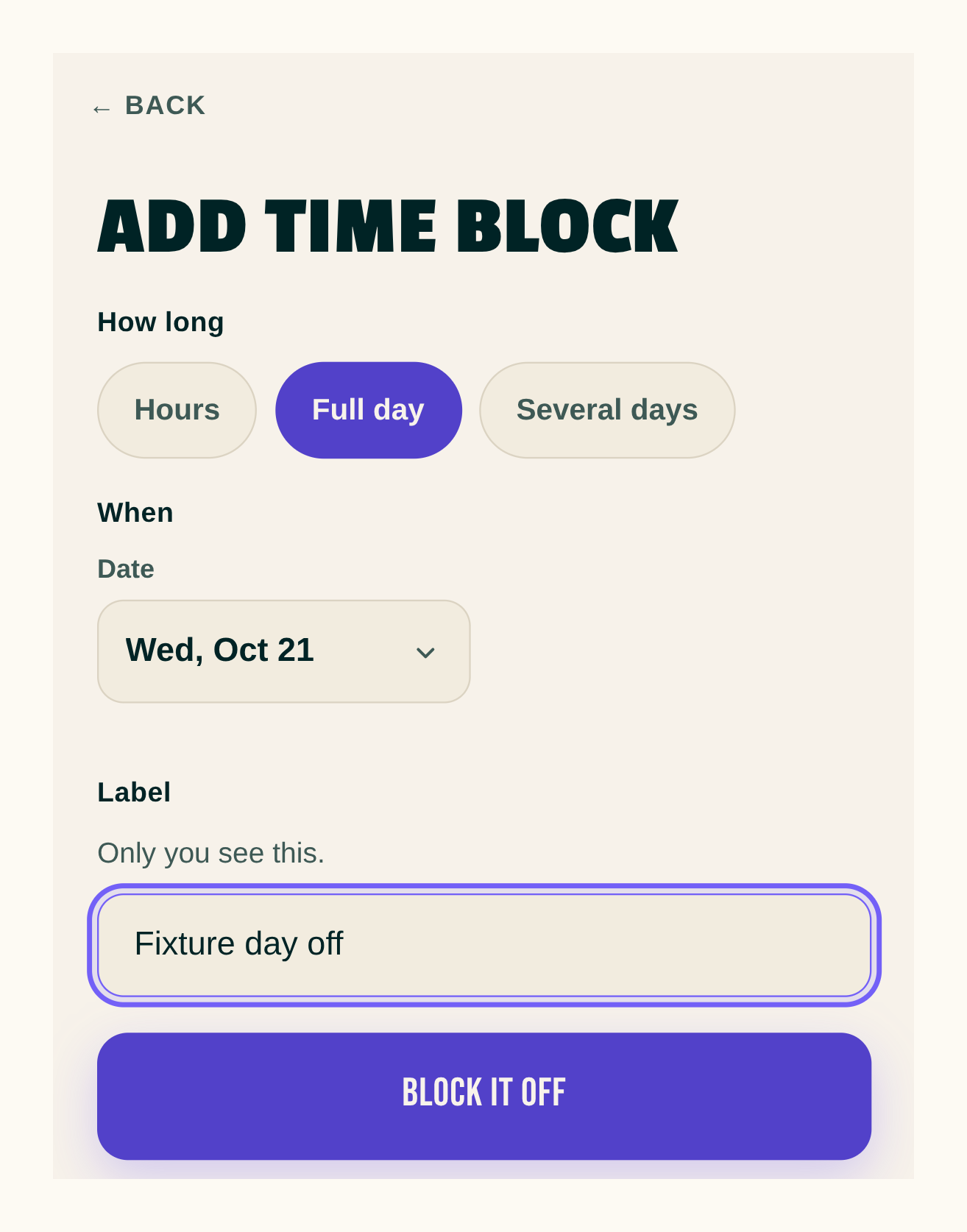
- On Calendar, press +, then Add time block.
- Block hours on one day, a full day, or several days. Add a label only you see.
- Clients can't book into a block, and suggested times skip it.
- Offer or book a time over your own block and Cake checks with you first. Press Book anyway to go ahead.
- When a new block covers a time you already offered, pick Block it off and your client can't choose it, or Keep it open and they still can.
- With Google Calendar connected, your blocks show on your Cake calendar in Google.
Send new times lets you choose the times first
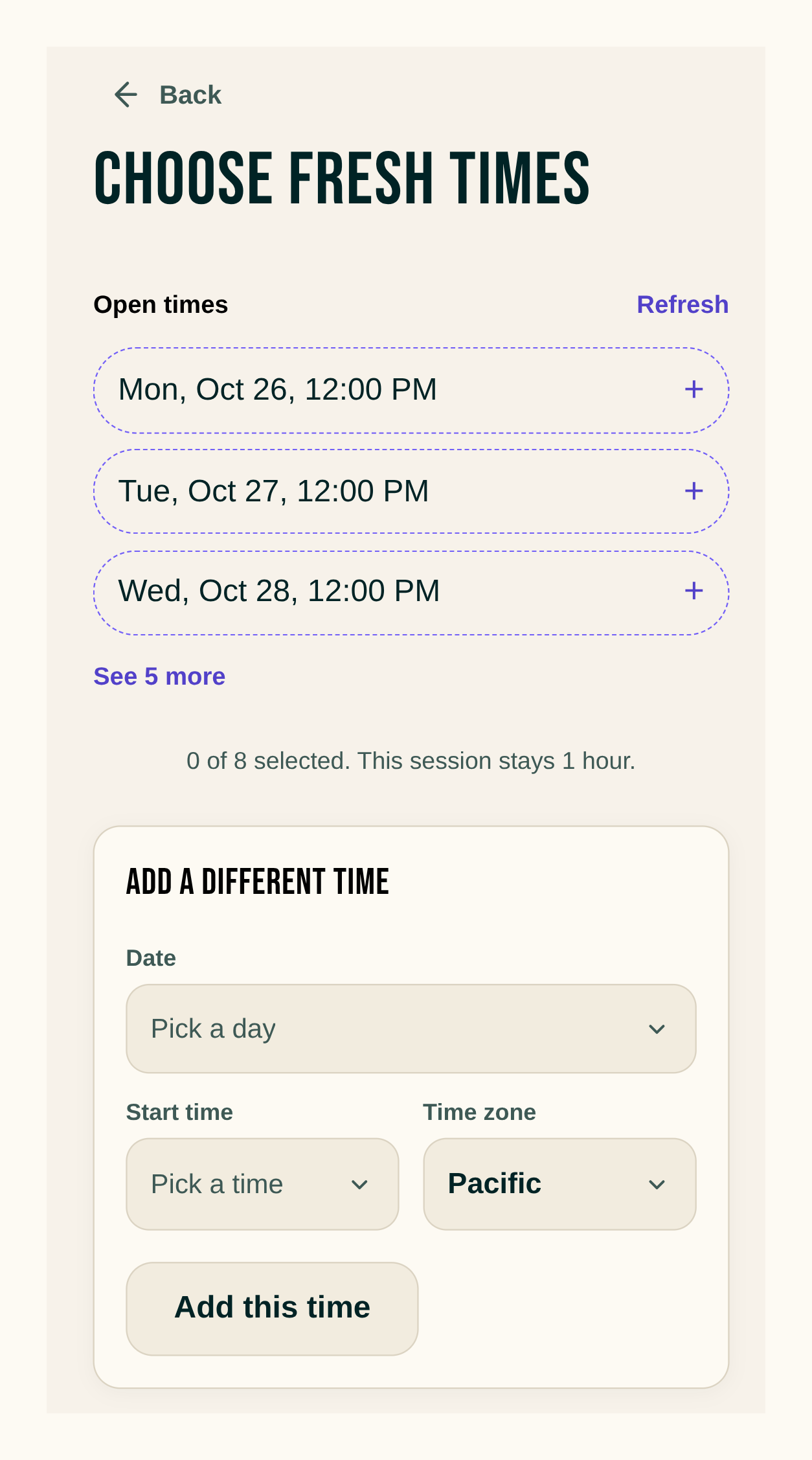
- Send new times, on Home and on the Approved list, opens Choose fresh times.
- Nothing goes to your client until you press Send.
Reschedule opens on your open times
- Press Reschedule and Cake lists open times at the session's length. They fit around your hours, your other bookings and your busy time in Google.
- Pick one, or choose any other time. A time past your hours or on a day you keep closed gets a note, and you can still choose it.
Send up to 20 photos in one message
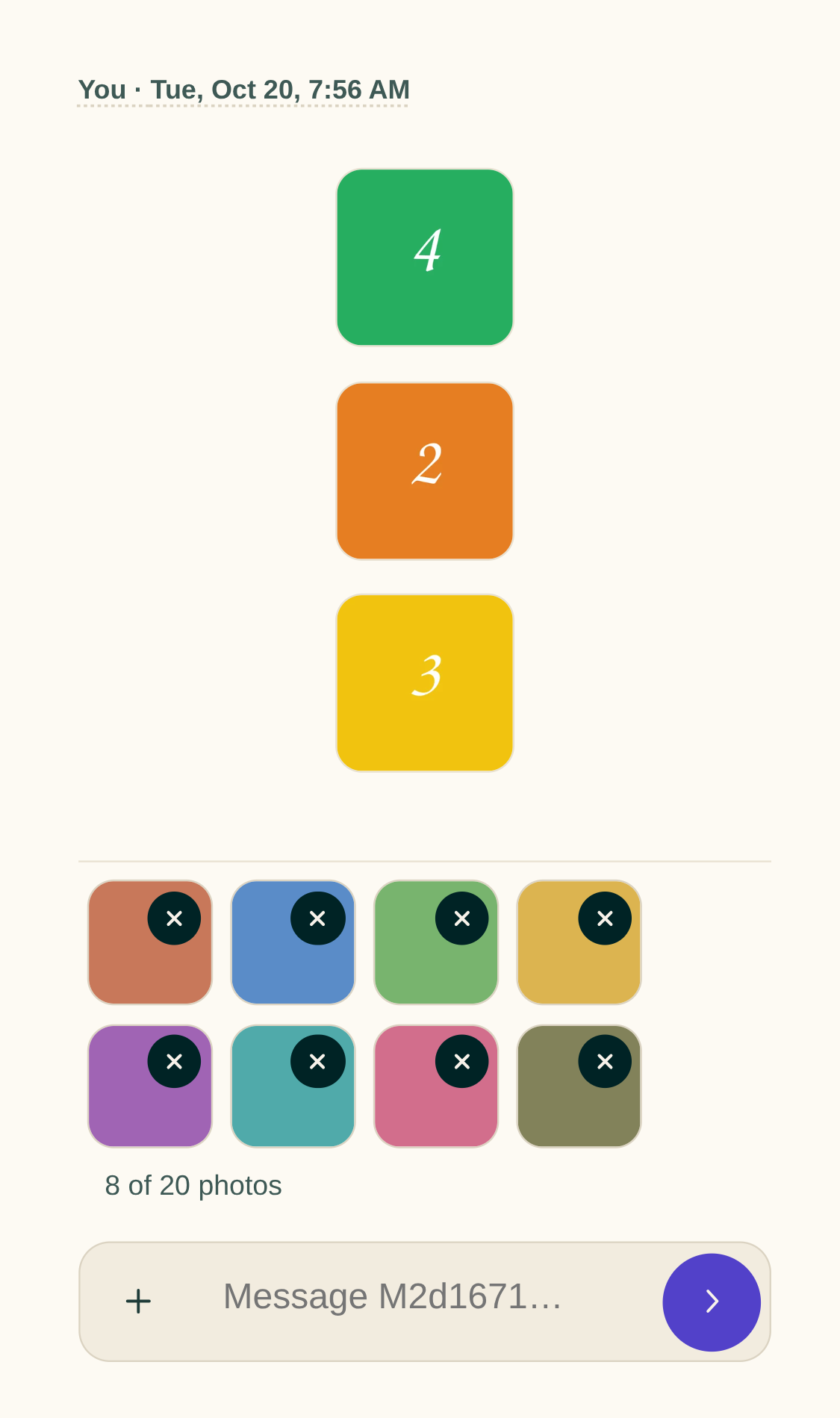
- A message takes up to 20 photos, and you can send photos with no words.
- You can remove a photo while it uploads.
Unsaved words come back after a reload
- Words you type in Settings or in a message stay on your device for 24 hours if the app closes or reloads before you save or send.
- When you open that screen again, a line says when the words were kept, with Discard beside it.
- Save, Send, Discard or signing out clears them.
Smaller fixes 9 lines
- Your About page hides any row you left empty.
- Saving your About page keeps words you saved in another tab, and says what went wrong when a date, a photo or a year doesn't save.
- Quick add says what's still needed above a grey button. Tap the button and Cake outlines the missing boxes in red.
- Quick add books the client you picked, even when another record on file shares their email or phone.
- Warnings you can go past, like Quick add's overlap note, are now lime. Deposit cards no longer have a blue edge.
- On desktop Chrome, the date and time boxes open their pickers on a click.
- After Confirm and save on a request, the request shows the change right away.
- Your request page says when your books are closed.
- Client pages load Cake's own fonts.