All product updates
Give phones their own hero photo
Phones get their own hero photo, a client's request page opens on your conversation, and your approval note keeps its words when you turn it off.
Give phones their own hero photo
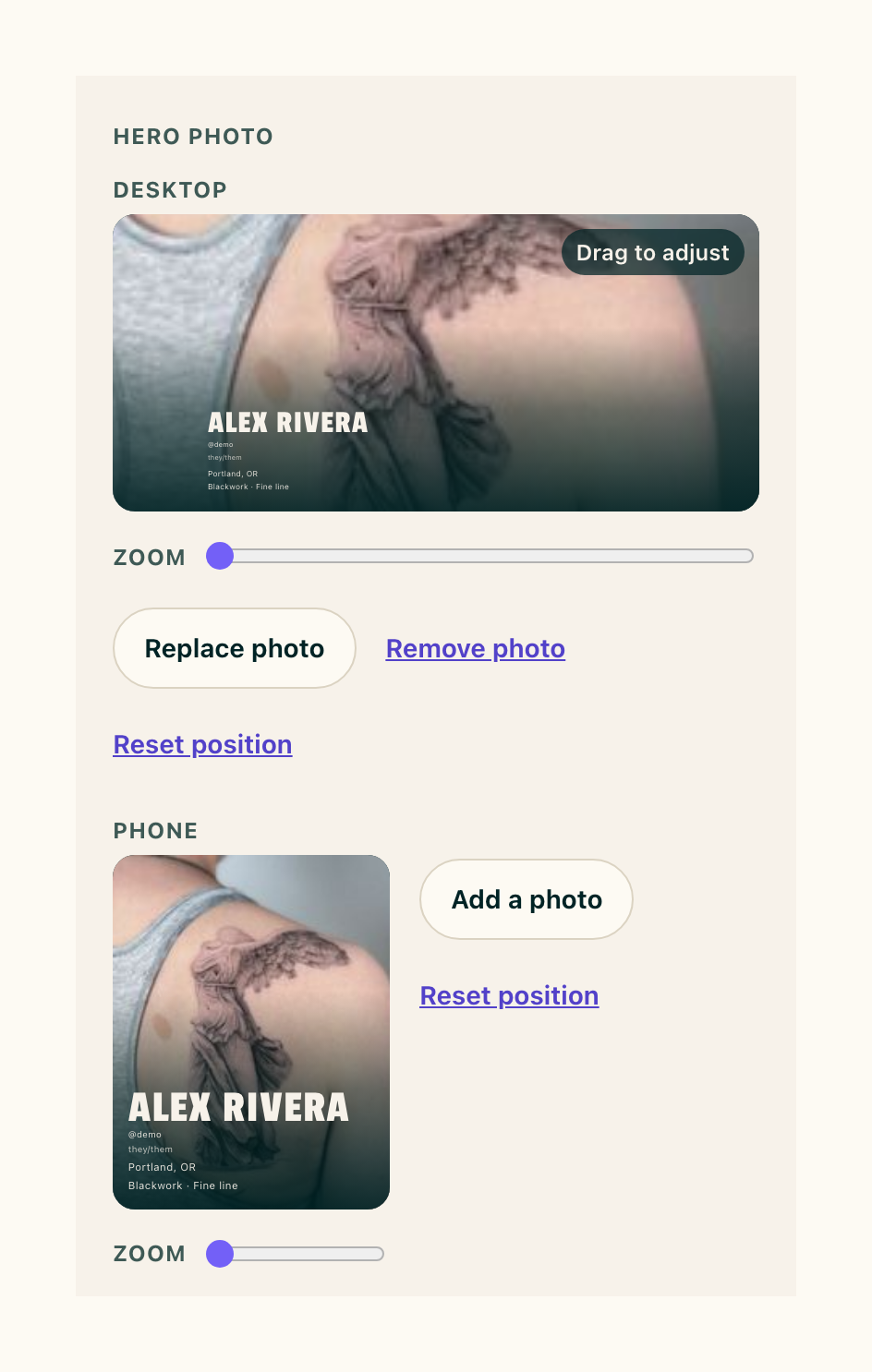
- In Settings, Profile, under Hero photo, the Desktop and Phone frames each have their own Zoom. Drag a frame to place the photo, pinch or slide Zoom up to three times, then press Save.
- The Desktop frame no longer moves the Phone frame.
- Add a photo beside the Phone frame gives phones a photo of their own. Use desktop photo goes back to the desktop one.
- Visitors on a phone see the phone photo and placement. Wider screens see the desktop ones.
- You can drag and pinch both frames on your phone.
- Remove photo takes your hero photo down. Your page shows your name on a plain ink block, and your round avatar shows your initials.
A client's request page opens on your conversation
- When a client opens their request link, your messages come first under "You and {your first name}", with the reply box under them. What they sent you follows under "Your request".
- Time offers and a booked session still sit at the top.
Your approval note keeps its words when it's off
- In Settings, Automated messages, turning Approval note or Confirmation note off keeps what you wrote. Turn it back on and the same words come back.
- When your approval note is on, Send to approve in Quick add shows it in a Your note box. What you change there goes to that client only. Empty the box and the email goes without a note.
Smaller fixes 5 lines
- On Approve, pressing Custom for the session length keeps your open times listed. Type a length and they update for it.
- A style can run to 60 characters, and the Styles field reads "(up to 6, separated by commas)". A long style wraps on your About page.
- On a laptop, the Add a time sheet is as wide as the Approve card it opens from.
- When your handle changes, links under your old handle open the same page under your new one, request links included.
- On the demo at demo.cake.ink, Settings, Profile opens on the demo artist's page.