
All product updates
Split a day in two
A day in Availability can now hold up to four open windows. Quotes open at the client's budget, and you can offer eight times.
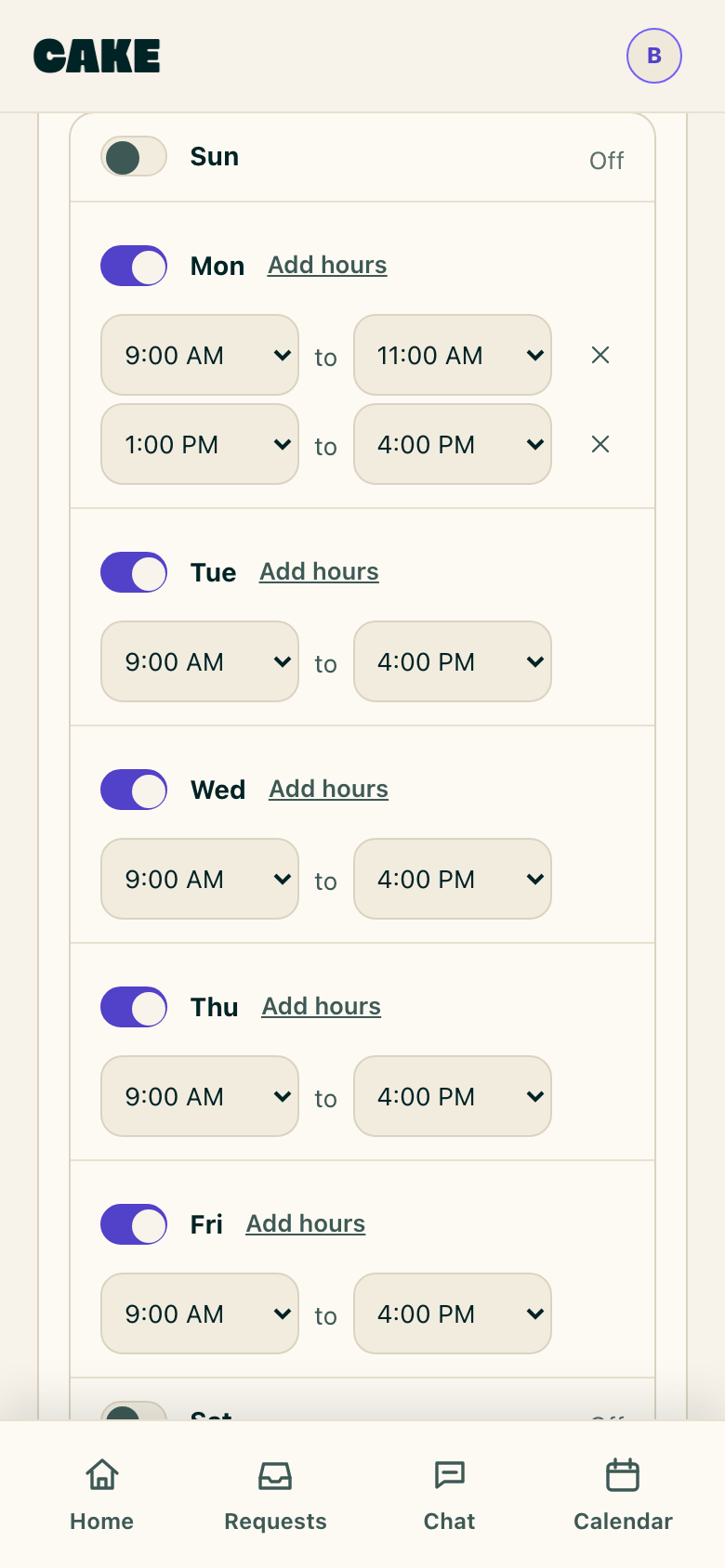
Split a day into two open windows
- In Settings, Availability and calendar, a day can hold more than one window. Set Monday to 9 AM to 11 AM and 1 PM to 4 PM.
- A day takes up to four windows, and at four Add hours goes away for that day.
The quote opens at the client's budget
- Approving a request opens the quote at what the client said they could spend. A budget of $300 to 400 puts 300 in From and 400 in Up to.
- A ceiling like Under $150 leaves From empty and puts 150 in Up to, and no budget leaves both empty. Quotes no longer open at $350 on every request.
- Type over the number and yours stays.
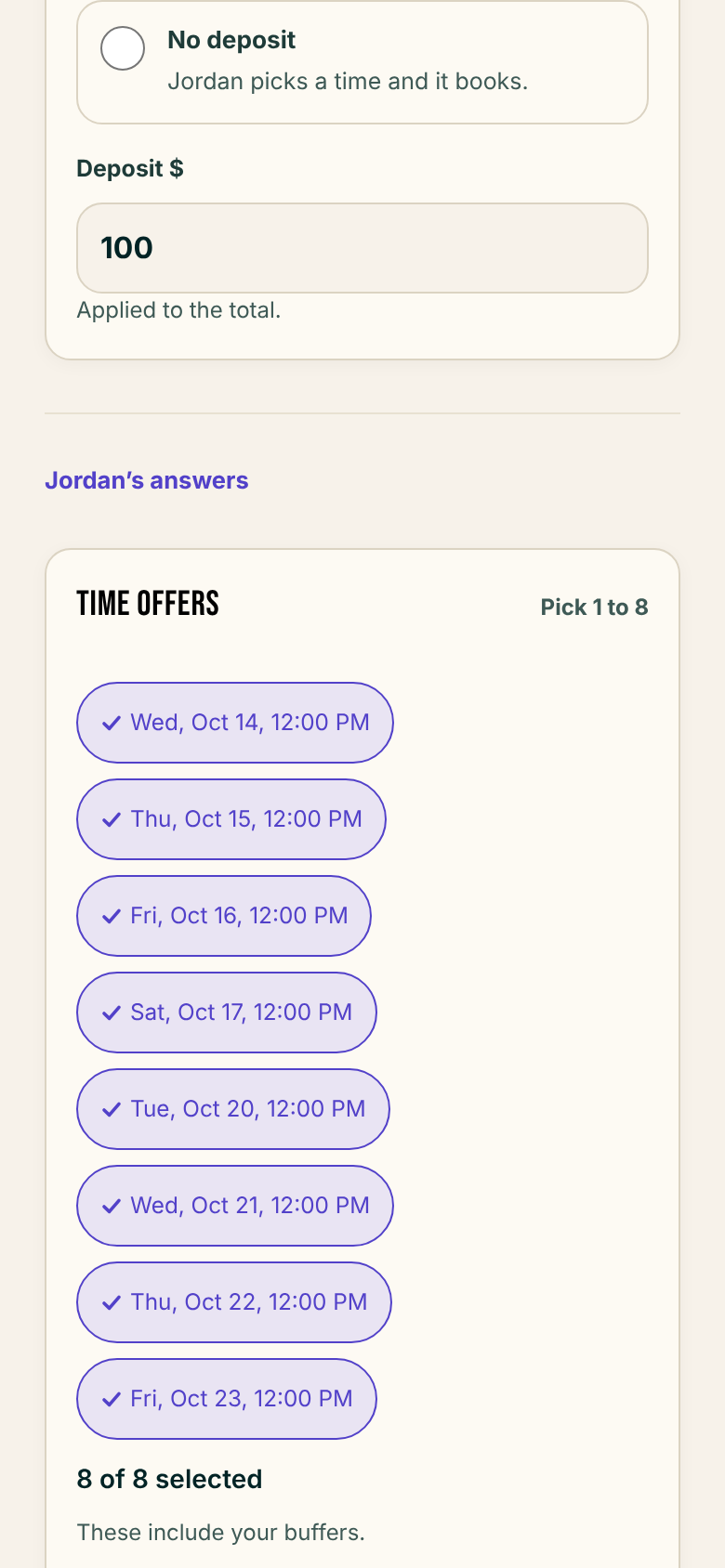
Offer up to eight times
- When you approve, Time offers reads Pick 1 to 8, up from four. At 8 of 8 selected, you remove a time to add another.
- Cake asks for at least one time before you can send.
Nudge shows what the client already got
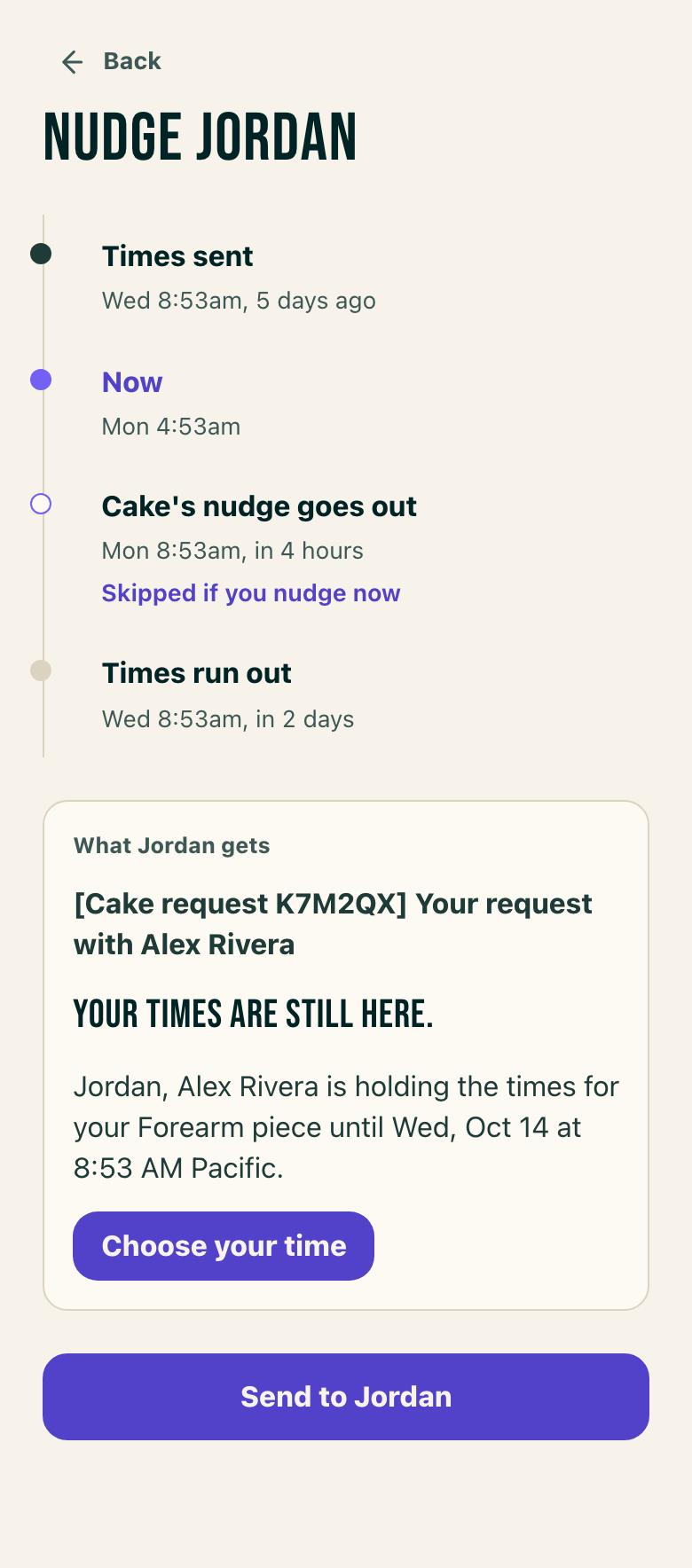
- On Requests, Approved, Nudge opens a sheet for that request.
- The sheet lists Times sent, You nudged, Cake's nudge goes out and Times run out. It previews the email the client gets.
- Send waits until 24 hours after the last message the client got, and the sheet gives the day and time you can nudge again.
- A nudge you sent shows in the request's messages, marked Nudge.
Aftercare and the healed pic request
- Settings, Automated messages has a group called After the session, with Aftercare and Healed pic request.
- Aftercare is set to 2 hours after the session and opens with a box for your message and a preview of the email. Healed pic request takes a timing in weeks.
A bounced email stays on the request
- Settings, Notifications has a Bounced emails row: "Emails Cake couldn't get to a client. Always on, by email." It has no switch.
- A request whose client email bounced keeps a warning that Cake stopped sending to that address until you correct it.
Smaller fixes 6 lines
- The request code now trails the subject of a client email instead of leading it.
- A client's request page opens on the newest message.
- Reminder 2 shows above Save on a phone with the unsaved bar up.
- Settings screens hold their shape while they load.
- The Settings email refusal reads "That's already your Cake sign-in email."
- The demo's client half shows the offer you approved in its studio half, and the demo refuses the same message words as Settings.